Resize Image, Compress & Print Size Pro
Simple image resizer, compressor, preview and download tool
🕋 Qilaj Islamic Activity Center
Sirf 1 minute: Qurani Hal, Tasbih ya Islamic Quiz start karein
آپ کی پریشانی کیا ہے؟
📿 33 Tasbih Challenge
33 bar SubhanAllah complete karein
🧠 Islamic Quiz Challenge
- Size
- Compress
- Preview
SEO Image Optimizer Online – Optimize Images for Better Rankings and Faster Websites
Images make websites more attractive, but they can also slow down pages and reduce search visibility if they are not optimized correctly. A modern SEO Image Optimizer Online helps you compress images, create SEO-friendly image names, improve alt text, and prepare files that search engines can understand more easily.
Many website owners spend hours writing high-quality content but ignore image SEO. As a result, their pages load slowly, images fail to appear in Google Images, and valuable organic traffic is lost. Proper image optimization is no longer optional. It is one of the easiest ways to improve page speed, user experience, accessibility, and search engine performance.
Whether you manage a blog, WooCommerce store, WordPress website, Magento shop, BigCommerce store, portfolio, or business website, optimizing images can significantly improve your overall SEO results.
This guide explains important topics such as SEO image names, SEO image naming, image naming conventions, Google Image SEO best practices, image compression, file formats, and user experience optimization.
Why Image SEO Is Important
Search engines have become much better at understanding images, but they still depend on supporting information provided by website owners. Google analyzes image file names, alt text, surrounding content, page structure, image dimensions, captions, structured data, and loading performance.
A properly optimized image can help improve:
- Google search rankings
- Traffic from Google Images
- Core Web Vitals
- Page loading speed
- User engagement
- Website accessibility
- Mobile performance
- Conversion rates
Many beginners ask, do image names affect SEO? The answer is yes. Every optimized image provides additional context that helps search engines understand the topic and quality of a webpage.
What Is an SEO Image Optimizer Online?
An SEO Image Optimizer Online is a web-based tool that prepares images for search engines and users without reducing visual quality more than necessary.
Instead of only reducing file size, a complete image optimization solution also focuses on:
- Image compression
- SEO-friendly image file names
- Image naming SEO best practices
- WebP and AVIF conversion
- Image resizing
- Responsive image generation
- Alt text optimization
- Faster loading performance
- Better mobile compatibility
These improvements make your website easier for search engines to crawl while providing visitors with a faster and smoother browsing experience.
How Search Engines Understand Images
Unlike humans, search engines cannot fully understand an image simply by looking at it. They rely on several ranking signals to determine what an image contains and whether it is relevant to a page.
Some of the most important signals include:
- SEO image name
- Alt text
- Image caption
- Page title
- Heading structure
- Structured data
- Surrounding content
- Internal links
- Image quality
- Page loading speed
When these factors work together, Google can better understand your content and improve its visibility in both Google Search and Google Images.
Do Image Names Affect SEO?
One of the most common questions website owners ask is: Does image name affect SEO? The simple answer is yes.
Before Google processes the surrounding content, it reads the image file name. A descriptive file name helps search engines identify the subject of the image and associate it with relevant keywords.
For example, these file names provide little value:
- IMG000123.jpg
- Photo1.png
- Screenshot45.webp
Better examples include:
- seo-image-optimizer-online.webp
- seo-friendly-image-file-name.webp
- google-image-seo-best-practices.webp
Using descriptive, keyword-focused, and readable file names is one of the easiest ways to strengthen your overall image SEO strategy.
Why SEO Image Names Matter
One of the simplest improvements you can make is using descriptive SEO image names. Many people upload images directly from a camera or smartphone, leaving default file names such as IMG_4587.jpg or Screenshot_001.png. These names provide no useful information to search engines.
A descriptive file name tells Google exactly what the image is about before it even reads the surrounding content. This small optimization can improve image relevance and increase the chances of appearing in Google Images.
For example, instead of uploading:
- IMG12345.jpg
- Photo01.png
- Screenshot.webp
Use descriptive names like:
- seo-image-optimizer-online.webp
- image-compression-tool.webp
- seo-friendly-image-file-name.webp
- google-image-seo-best-practices.webp
These names are meaningful, readable, and naturally optimized for search engines.
Image Naming SEO Best Practices
Following proper image naming SEO techniques helps search engines understand your content more accurately. A consistent naming strategy also keeps your media library organized.
1. Use Descriptive Keywords
Your file name should clearly describe the image. Avoid vague words or random numbers.
Good Example:
wordpress-image-optimization-guide.webpPoor Example:
IMG4589.jpg2. Keep File Names Short
Long file names are difficult to read and unnecessary. Keep them concise while accurately describing the image.
Good:
google-image-seo.webpAvoid:
this-is-the-best-google-image-seo-guide-for-beginners-2026.webp3. Use Hyphens Instead of Underscores
Google recommends separating words with hyphens.
Correct:
seo-image-name.webpNot Recommended:
seo_image_name.webpHyphens improve readability for both users and search engines.
4. Avoid Keyword Stuffing
Some website owners repeat keywords several times inside the file name. This looks unnatural and offers no SEO benefit.
Bad:
seo-image-seo-image-best-seo-image.webpBetter:
seo-friendly-image-file-name.webpNatural optimization always performs better than keyword stuffing.
SEO Image Naming Convention
Creating a consistent SEO image naming convention makes your website easier to manage and improves search visibility.
A simple naming formula is:
primary-keyword-description.webpExamples include:
- seo-image-optimizer-online.webp
- compress-image-without-losing-quality.webp
- wordpress-image-optimization.webp
- image-alt-text-example.webp
- webp-image-converter.webp
Using a standard naming convention also helps team members upload optimized images consistently.
How to Ensure Your Images Are SEO-Friendly
If you are wondering, how do I ensure my images are SEO-friendly, follow these essential steps before uploading any image.
- Rename the image with descriptive keywords.
- Compress the image without noticeable quality loss.
- Use modern formats like WebP whenever possible.
- Add descriptive alt text.
- Choose appropriate image dimensions.
- Use responsive images for different screen sizes.
- Place images close to relevant content.
- Enable lazy loading.
- Optimize page speed.
- Avoid uploading duplicate images.
These simple improvements help search engines crawl your images more efficiently while providing a better experience for visitors.
Choosing the Right Image Format
Selecting the correct image format plays an important role in both SEO and website performance.
JPEG
JPEG is suitable for photographs and blog images because it provides a good balance between quality and file size.
PNG
PNG is ideal for graphics, logos, and transparent backgrounds where image quality is more important than file size.
WebP
WebP has become one of the most recommended formats for modern websites because it delivers excellent quality while significantly reducing file size.
Benefits include:
- Faster loading speed
- Better compression
- Improved SEO performance
- Reduced bandwidth usage
- Excellent browser support
AVIF
AVIF is an advanced image format that often produces even smaller files than WebP while maintaining exceptional quality. Support continues to expand across modern browsers.
How Does Image Compression Affect SEO?
Many website owners ask, how does image compression affect SEO? Compression directly influences website speed, which is an important ranking factor.
Large images increase loading times, especially on mobile devices. Slow pages often experience higher bounce rates and lower user engagement.
An effective SEO Image Optimizer Online compresses images while preserving visual quality. This helps your website load faster and improves Core Web Vitals.
Benefits of image compression include:
- Improved page speed
- Better mobile performance
- Lower bandwidth usage
- Improved Core Web Vitals
- Higher user satisfaction
- Better crawl efficiency
- Improved SEO rankings
Compressing every image before publishing is one of the easiest technical SEO improvements you can make.
Google Image SEO Best Practices
Following Google Image SEO best practices helps search engines understand, index, and rank your images more effectively. Google recommends using descriptive file names, meaningful alt text, responsive images, structured data where appropriate, and fast-loading image formats.
If you follow the recommendations from Google Search Central Image SEO, your images have a better chance of appearing in Google Images, rich results, and standard search results.
The most important best practices include:
- Use descriptive file names.
- Write accurate alt text.
- Compress images before uploading.
- Use WebP or AVIF when possible.
- Serve responsive images.
- Place images near relevant text.
- Add captions where helpful.
- Include images in your XML sitemap.
- Avoid blocking image URLs in robots.txt.
- Use high-quality original images.
Writing SEO-Friendly Alt Text
Alt text is one of the strongest image SEO signals. It helps search engines understand an image while also improving accessibility for users who rely on screen readers.
Good alt text should describe the image naturally rather than stuffing keywords.
Example:
SEO Image Optimizer Online compressing a WebP image for faster website performance.Avoid:
seo image seo image optimizer image seo online best seo imageKeep alt text short, descriptive, and relevant to the surrounding content.
Responsive Images Improve SEO
Modern websites are viewed on desktops, tablets, and smartphones. Responsive images automatically serve the correct image size based on the visitor’s screen.
Benefits include:
- Faster loading on mobile devices.
- Reduced bandwidth usage.
- Improved Core Web Vitals.
- Better user experience.
- Lower bounce rates.
- Improved search rankings.
Using responsive images ensures visitors download only the image size they actually need.
Image Dimensions and Quality
Uploading oversized images wastes bandwidth and slows down websites. Before publishing, resize images according to where they will appear.
Common recommended dimensions include:
- Featured Image: 1200 × 630 px
- Blog Content Image: 800 × 600 px
- WooCommerce Product: 1200 × 1200 px
- Facebook Share Image: 1200 × 630 px
- Instagram Post: 1080 × 1080 px
- YouTube Thumbnail: 1280 × 720 px
Serving correctly sized images reduces unnecessary downloads and improves overall website performance.
Image Compression Without Losing Quality
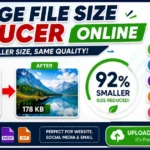
Many users worry that compression will make images blurry. Modern compression algorithms can reduce file size significantly while maintaining excellent visual quality.
A quality SEO Image Optimizer Online can:
- Reduce image size by 50–90%.
- Preserve sharpness.
- Maintain color accuracy.
- Convert JPG and PNG to WebP.
- Optimize images automatically.
Smaller images help pages load quickly and improve the browsing experience for visitors on slower internet connections.
Image Optimization for WordPress
WordPress powers millions of websites, making image optimization especially important. Every uploaded image should be optimized before it reaches your media library.
Recommended practices include:
- Rename images before uploading.
- Compress images automatically.
- Generate WebP versions.
- Enable lazy loading.
- Use responsive image sizes.
- Write unique alt text.
- Remove unused media files.
Following these steps improves both SEO performance and website speed.
WooCommerce Product Image Optimization
Product images play a major role in eCommerce SEO. Optimized images help products rank better while improving conversion rates.
Best practices include:
- Use descriptive product image names.
- Compress all product images.
- Maintain consistent dimensions.
- Write unique alt text for every product.
- Use high-quality images without excessive file size.
Fast-loading product pages create a better shopping experience and may increase sales.
Magento Image Optimization
Magento image optimization focuses on reducing image size without affecting product quality. Magento stores often contain thousands of images, making optimization essential.
Important recommendations include:
- Compress catalog images.
- Use WebP where supported.
- Implement lazy loading.
- Use descriptive product image names.
- Optimize thumbnails separately.
BigCommerce Image Optimization
If you want to optimize images for a faster BigCommerce site, start by reducing file sizes before uploading. Smaller product images improve page speed and customer experience.
Helpful techniques include:
- Compress images before upload.
- Use responsive image sizes.
- Replace PNG with WebP when possible.
- Avoid oversized banners.
- Optimize homepage sliders.
Google My Business Image Optimization
Google My Business image optimization can improve your local business profile by making photos load quickly and appear more professional.
Use clear, high-quality images with descriptive file names and appropriate dimensions. Regularly updating your business photos also helps maintain an active profile.
Image Optimization for Better User Experience
Image optimization is not only about rankings. It also improves user experience by making websites faster, cleaner, and easier to navigate.
Benefits include:
- Faster page loading.
- Lower bounce rates.
- Better mobile usability.
- Improved accessibility.
- Higher engagement.
- Better conversion rates.
When users enjoy browsing your website, they are more likely to stay longer, visit additional pages, and complete desired actions such as purchases or contact requests.
Related Image Tools
Frequently Asked Questions (FAQs)
1. What is an SEO Image Optimizer Online?
An SEO Image Optimizer Online is a tool that compresses, resizes, and optimizes images for better search engine visibility. It helps reduce file size, improve page speed, generate SEO-friendly image names, and prepare images for higher rankings in Google Search and Google Images.
2. Do image names affect SEO?
Yes. Descriptive image file names help search engines understand image content before reading the page. Using names like seo-image-optimizer-online.webp is much better than generic names such as IMG1234.jpg.
3. What is the best SEO image naming convention?
The best SEO image naming convention uses lowercase letters, descriptive keywords, and hyphens between words. For example: google-image-seo-best-practices.webp.
4. How do I ensure my images are SEO-friendly?
Use descriptive file names, compress images before uploading, write meaningful alt text, choose the correct image format, enable lazy loading, use responsive images, and keep image dimensions appropriate for your website layout.
5. Which image format is best for SEO?
WebP is one of the best image formats because it offers excellent quality with smaller file sizes. AVIF is another modern format with even better compression, while JPEG remains suitable for photographs and PNG works well for graphics with transparency.
6. How does image compression affect SEO?
Compressed images load faster, improve Core Web Vitals, reduce bandwidth usage, and provide a better user experience. Faster websites generally perform better in search engine rankings.
7. Why is alt text important for image SEO?
Alt text helps search engines understand image content and improves accessibility for users who rely on screen readers. It should naturally describe the image without unnecessary keyword repetition.
8. Can optimized images improve Google rankings?
Optimized images contribute to better page speed, improved user experience, and stronger image relevance. While images alone do not guarantee higher rankings, proper image SEO supports overall search performance.
9. Should I rename images before uploading them?
Yes. Always rename images before uploading them to your website. A descriptive, keyword-focused file name provides valuable context for search engines and keeps your media library organized.
10. What is the ideal image size for websites?
The ideal size depends on where the image will be used. Featured images commonly use 1200 × 630 pixels, blog content images often use 800 × 600 pixels, and product images typically use 1200 × 1200 pixels. Always avoid uploading images larger than necessary.
11. What is image sharing in SEO?
Image sharing in SEO refers to publishing optimized images on websites, blogs, social media platforms, and image-sharing services to increase visibility, attract backlinks, and drive referral traffic. High-quality images with proper optimization can support your overall digital marketing strategy.
12. Can I optimize images without losing quality?
Yes. Modern image optimization tools use advanced compression techniques that significantly reduce file size while maintaining excellent visual quality. This allows websites to load faster without making images appear blurry.